Sherry Icardi
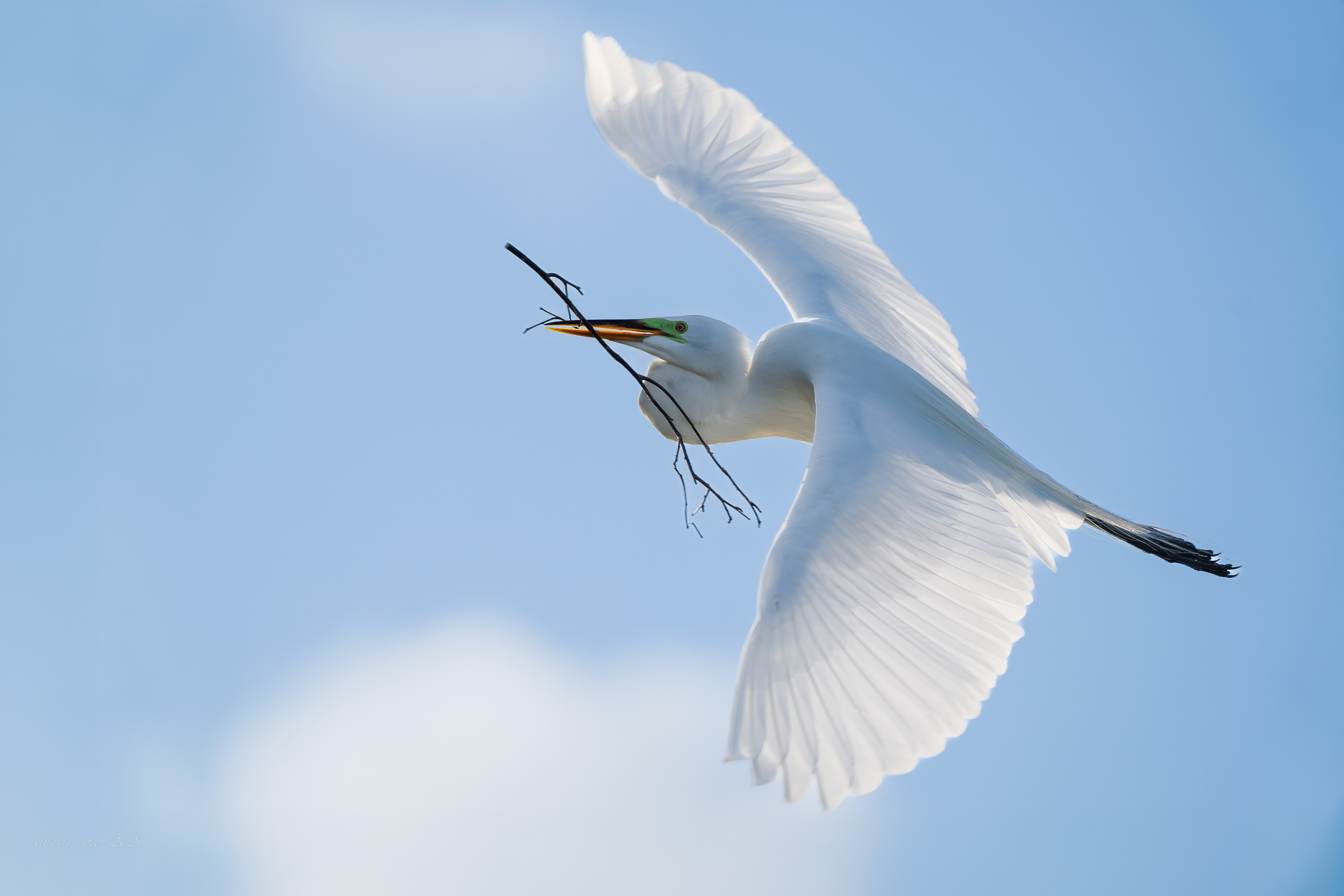
April 2026 - Great White Heron with Nesting Material
About the Image(s)
This was taken in Wakodahatchee Wetlands early one morning in March.I got several great images, but the positioning and sky on this one was so ethereal that I thought this was the best of the session with him. I intentionally did not use a faster shutter speed mainly due the tendency to be much slower when flying with sticks, so I thought it was worth a try. Im glad I did.
Details
Taken with Sony A1 and 300mm with 1.4 adapter
420mm
1/1250 sec
Past Processing was cropping and adjusting lights and shadows as well as denoise..though I don't think it was necessary given the ISO and speed. Final was taking into to PS and enlarging the sky to place the bird in a better position.
F4.5
ISoO 125
6 comments posted
This is lovely Sherry and if ethereal was the goal you surely captured it. Such a wonderful time of the year for us bird lovers. Posted: 04/03/2026 10:39:11
Oh Sherry, you just keep them coming. Gorgeous. Ethereal is the perfect adjective. Colors, action, definition...all perfect. I can even see his green facial marking. Posted: 04/03/2026 15:46:09
Very nice, Sherry. I agree with Gwen and Leslie. Ethereal is a good way to describe this image. Definitely print worthy. My only comment is just a question. I'm not sure what you mean by enlarging the sky to place the bird in a better position. Could you elaborate for me? Thanks. Posted: 04/08/2026 21:13:21
John, my bottom wing tip was too close to the edge and I wanted to give it a tad more space. Because the background was pretty consistent all I did was press the crop tool to current size, then on the top and side (which it automatically enlarges the opposing side to maintain your crop), then in about the center of my screen at the top you will see a box with three choices if you expand...one is background (never use), one is Generative Fill and the last is Content Aware Fill. I enlarged with the crop tool to size I wanted all based on existing size (5x4) but expanded it just a small amount on the bottom and one side. This maintained the 'existing borders" and gave me a little more room to better balance the image. Press and Its done. I've used the generative fill rarely and it works well but no reason to do so on this image. I just wanted a little more sky. Generative fill also requires "points", in other words cost you! If you want, I can send you a screen shot of the PS work space to show you! Just let me know!
Posted: 04/16/2026 01:12:35
Posted: 04/16/2026 01:12:35
Hi Sherry, Lovely image. I agree with others. That was my feeling even before I read everyone's comments. My only suggestion would be to increase the exposure on the eye a little bit. Excellent! Posted: 04/12/2026 22:04:03