About the Image(s)
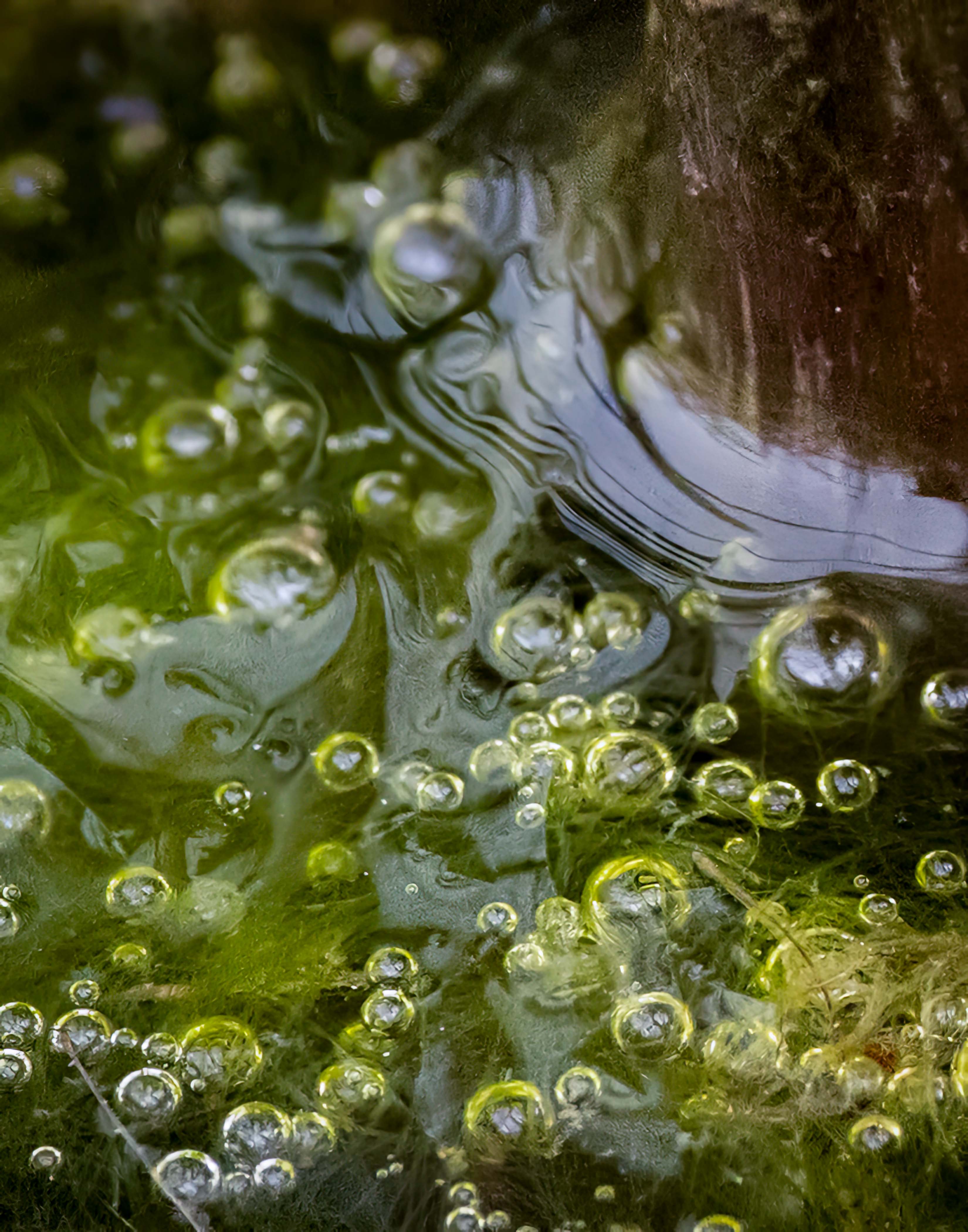
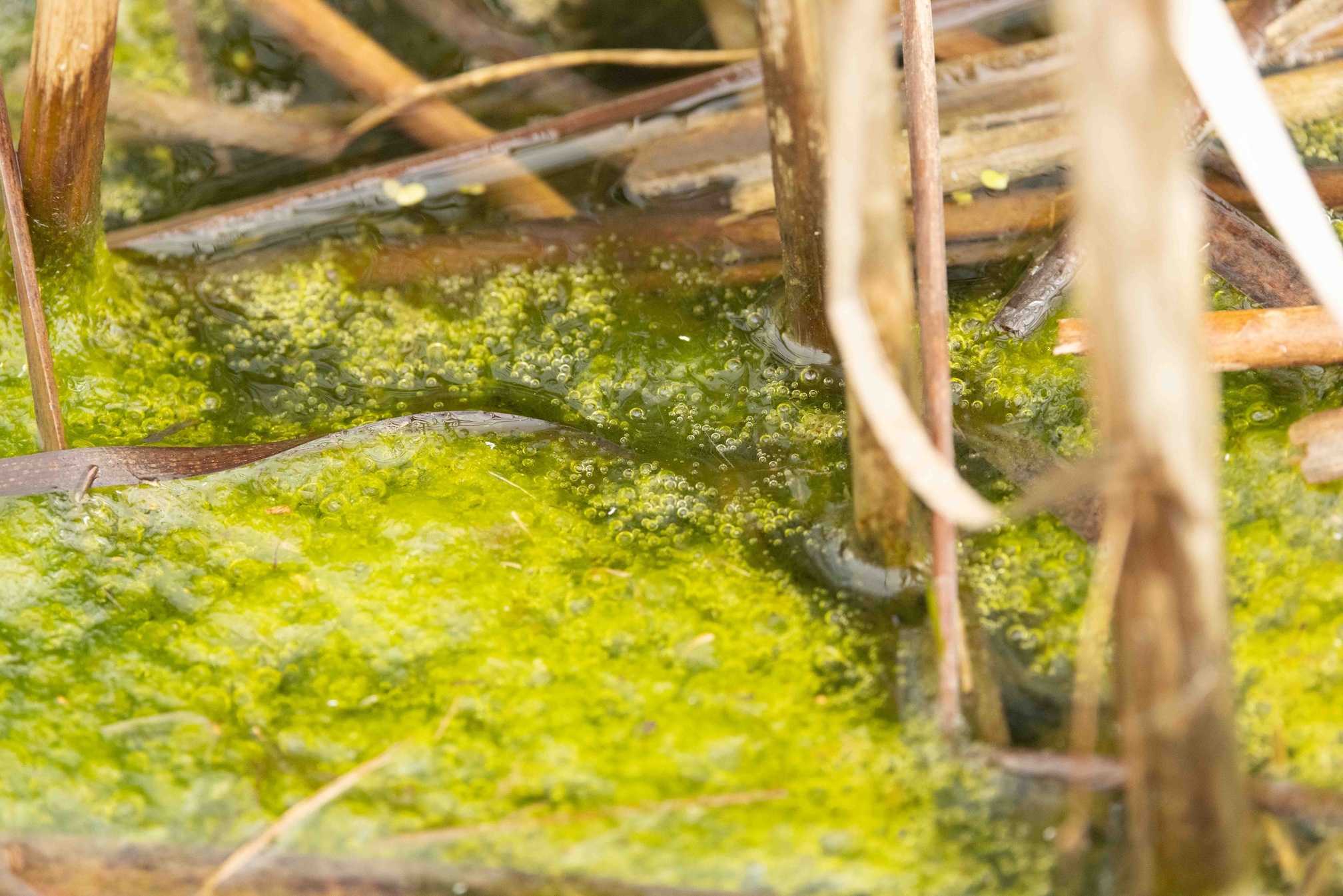
I have always been fascinated by tiny life in ponds. Several days ago Spring rains and non-freezing temperatures awakened a vernal pond on a nearby life long learning campus. The water looked rather brackish, but large swaths of green algae floated among last autumns dried reeds. I hoped to find tadpoles or peepers or water beetles, but eye inspection failed to reveal any of these creatures. So I aimed a Canon R5 set to aperture priority and auto ISO, (f8.0, 1/660 sec, and ISO 4000) with a 100-500mm lens set to 500mm and fitted with a polarizing filter, at a promising patch of green and clicked. And clicked, and clicked. Upon enlarging, small areas of the images revealed details that interested me. I imported to Lightroom Classic and cropped. Because the resulting area was very small I upsized it in Topaz Gigapixil 6.2. Back in LRC I adjusted basic tones, and added a slight vignette. I would love to improve my technique for capturing these interesting landscapes and will welcome suggestions.

Mike Cohen
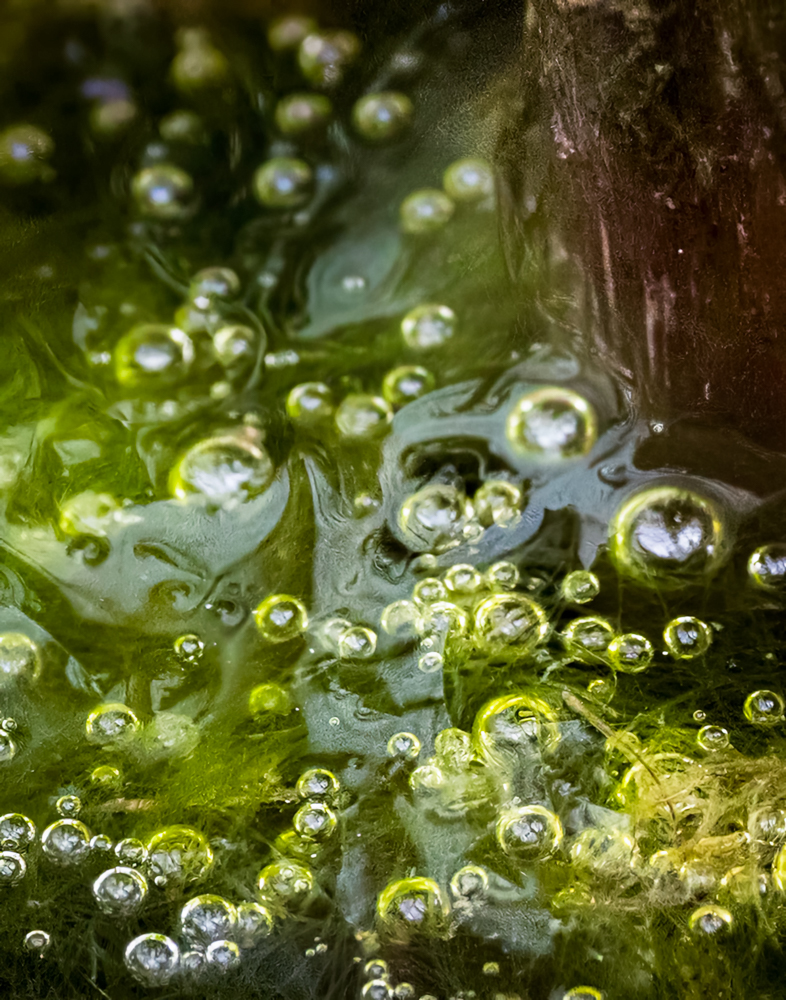
This is a tough one for me. I love your out of the box artistic eye and can see what you were going for here but it is too conffused for my taste. Also, the bright refection around the edge of the vegetation toward the upper right grabs my eye and pulls it away from the bubbles, which I think are the most interesting subject of the image. All that said, I do find the image interesting and thought I'd play with it to see what I could change. I used. AI to remove the reflection and using a diagonal lineal mask, darkened the lower left. I made a strong S curve to exaggerate the constrast. I also removed the line in the lower left and the little brown item in the lower right.
Posted: 04/07/2026 15:05:16
Judith Lesnaw
Mike, thank you so very much for playing with this image. I love the viewer-dependent ambiguity of cluttered abstracts that promotes different interpretations. Your interpretation, focused on the bubbles, is wonderful, has revealed new elements and has clarified existing elements. What is the strong S curve you used to enhance contrast? That adjustment revealed the face and Elvis-like hairdo of a happy fellow just right of dead center, and increased the visibility of the partial and upside down head center left. Removing the line and reddish blob improved the image, but I do miss the angel. I cant wait to return to the wetlands armed with new ideas. THANK YOU! Posted: 04/07/2026 19:25:15
Mike Cohen
Your artistry inspires me. Thanks! To answer your question, there are a lot of ways to increase contrast and the contrast slider is the one I almost never use. Just by increasing the whites and decreasing the blacks, contrast is increased. I also use the curves tool and about 1/3 of the way up the line I bring it down and about 1/3 of the way from the top, I bring it up. That is the classic S curve and is a default setting. You can make your own presets in the tone curve and save them if you use them a lot. For example, I have a simple one that pulls the line down to darken the whole image that I've saved. I then mask the effect out on the subject or where ever else I don't want it in various opacities. Posted: 04/10/2026 20:14:58
Judith Lesnaw
Thank you so much for sharing your approach to increasing contrast Mike. I have never used the S-shaped curve, and now I feel armed for my next adventure in processing. Posted: 04/11/2026 14:15:18
Ally Green
Me neither so thank you Mike for the lesson! Posted: 04/17/2026 16:34:20
Mike Cohen
Oh, and I now see the face! Posted: 04/10/2026 20:15:34

Tom Brott
Leave it to you to take a piece of swamp muck and algae and turn it into a piece of art. I did have difficulty seeing your faces and angel but did find them and now can't unsee them. (Great Puzzle). My main focus on this image was the bubbles. I find them very compelling and interesting with different colors and sizes. I feel Mike's rendition added a little better definition in most details. I am also wondering if you cropped down from the top to remove some of the reddish area and make it look less obvious and that way you could keep your angel. Posted: 04/10/2026 21:11:33
Judith Lesnaw
Many thanks for your comments and suggestions. Ill try cropping from top. I agree that Mike's processing resulted in greater detail. Posted: 04/10/2026 23:10:32
Polly Krauter
I am waiting for the creature from the black lagoon to crawl out of the algae. You have a wonderful knack of see the beauty and/or interest in areas that many of us would miss. A small comment, between the smooth water and the dark reed area (upper right) there is some pixilation. You could consider cropping down from the top to remove it. I see that in some comments they see an angel. Funny, I am seeing (imagining) a swap monster. Posted: 04/11/2026 18:01:09
Judith Lesnaw
Thanks for your comments Polly. I will try the crop. Re the angel, some who have seen this see a swamp monster, some a fish, and some an alligator. The variety of things that different people viewing the same element of an image imagine they see fascinates and delights me. Many stories lie beneath these vernal waters. Posted: 04/11/2026 18:14:37

Sharon Prislipsky
I think the way you make an image out these very small elements in nature is amazing. When I look at this image I first notice the bubbles in the lower hlaf of the image. I find the colors soothing but I still can't see the face others have referred to. I think Mike is onto something with his suggestion to use the tone curve. It is not easy to master that tool, but once you get the idea it is really powerful. Posted: 04/12/2026 13:47:24
Judith Lesnaw
Thanks Sharon. I am working on that tone curve. One of the faces is an elongated half face; it is ghostly blue/grey and is upside down. To find it look middle vertically and left horizontally. Some see this element as a fish as well. Posted: 04/12/2026 19:14:44
Pamela Hoaglund
First Judith, I want to congratulate you for having an image in the Showcase. "Down the Rabbit Hole" is another one of your curiosity finds and leaves the viewer scratching their head :).
Your image this month is like looking at the clouds and finding so many interesting formations. I see the upside down face. In the center I see a puppet man or almost the tin man in the Wizard of OZ. I do like Mike's editing and I think you could do a lot of experimenting with this image maybe with textures or LUTS. Posted: 04/14/2026 18:36:37
Judith Lesnaw
I am glad that you saw the upside down head and Tin man. Your finding interesting formations in this image is just what I aimed for, and what abstract does for me. I am experimenting with the image as you suggested. What is "LUTS" Thanks for your comments and suggestions Posted: 04/14/2026 21:04:54
Pamela Hoaglund
LUT = look up table. That doesn't tell you much. Some photography processing programs have them as presets. ON1 and Affinity have them but I don't know about Photoshop or Lightroom. They act like a formula or preset to interpret colors and they change certain colors to others. It depends on the LUT you chose what effect you get. Google LUT in photography.
Also Google "does photoshop or Lightroom have LUT presets" and you will find information for those programs. Posted: 04/14/2026 21:45:19
Judith Lesnaw
Thanks. I did google and both LR and PS have them BUT in LR you have to make your own and then enter it into the program.
Posted: 04/14/2026 22:48:30
Ally Green
Love this and how you have created an intriguing image that we all see differently. I see the angel. The bubbles with the different green textures add a sign of life to me with what lies beneath. An image that has a lot to fill your imagination. I like Mike's interpretation too adding a bit more perspective. I might consider cropping down from the top a bit. I wonder with a Macro lens what photos you could get from the pond? Posted: 04/17/2026 16:43:35
Judith Lesnaw
Many thanks Ally. I too wonder what a macro lens would reveal and I am going to try it out very soon.
Posted: 04/17/2026 20:30:57