Marti Buckely

August 2026 - Polar Bouquet
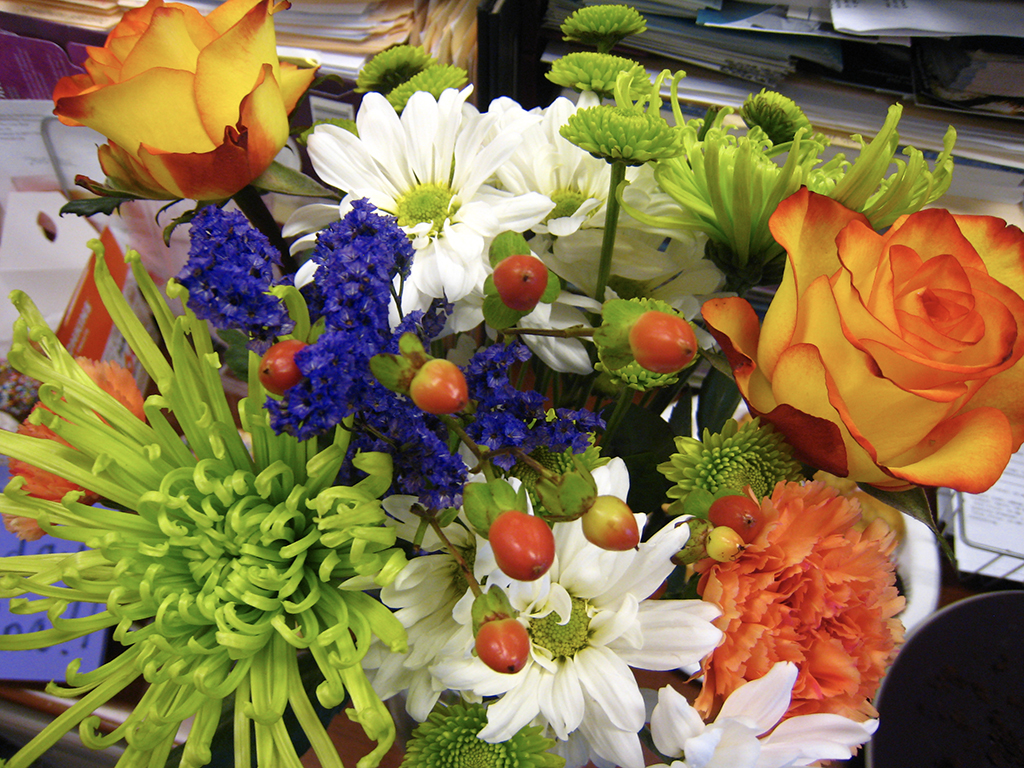
Original
About the Image(s)
I took a bouquet image and used my Polar action to create the "warp" effect.
Filter - Distort - Polar Coordinates - Polar to Rectangular - Rotate 180 degrees - Filter - Distort - Polar Coordinates - Rectangular to Polar
By creating an Action for the process you can easily try it on any photo to see what you get.
8 comments posted
Marti, I really like the vivid Colors and texture you have incorporated in your polar bouquet. I'll have to try and follow your directions to see if I can make one. I haven't tried in about 7-8 years. Thank you for submitting this beauty. Posted: 08/10/2026 01:36:20
Hi Marti - looks like a beautiful paper weight. I love that you were able to get the blue as a border. Having played with this technique a lot in the distant past, I know how serendipity plays a large part in the final result. this one came out especially well! Posted: 08/12/2026 18:47:39
You can control the background and/or border by moving the center point. Posted: 08/12/2026 19:07:18
You do these images so well Marti. I do agree with the others, the bold and bright colours make the image stand out. It looks surreal. Posted: 08/17/2026 10:52:53
Thanks! I just run the action and see what comes up. If you make an action, you can quickly "warp" any image (I use F12). Sometimes an image that you might toss makes a nice "warp" and the action (in PS) makes it so easy. Posted: 08/18/2026 01:43:49
Hi Marti, thanks for your advice, much appreciate it. Always keen to learn new things Posted: 08/24/2026 10:32:43
Fascinating! I must try it. Hope I remember how to create an Action. Posted: 08/20/2026 15:50:37
Hi Marti,
Greetings my friend.
A lovely image of the flowers from the original and the creative way of the post processing for the final outcome. I love the concept and thanks for sharing with us. Nothing more to add this creative output.
Thanks for sharing.
Cheers.
Kamal.
Posted: 08/22/2026 12:38:59
Greetings my friend.
A lovely image of the flowers from the original and the creative way of the post processing for the final outcome. I love the concept and thanks for sharing with us. Nothing more to add this creative output.
Thanks for sharing.
Cheers.
Kamal.
Posted: 08/22/2026 12:38:59