Wayne Angeloty
August 2026 - Denali Weather
About the Image(s)
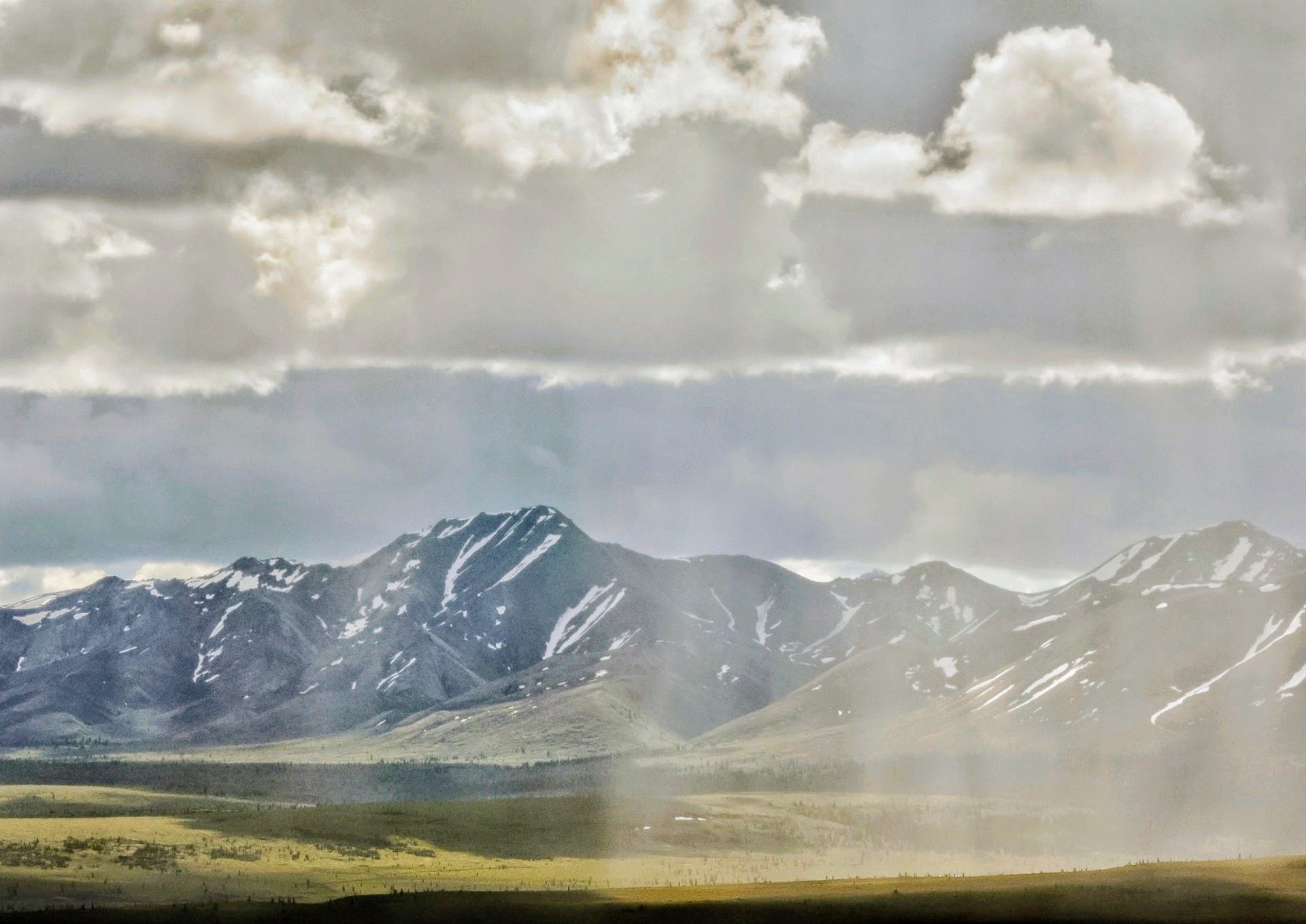
Here is a shot from Denali Nat. Park. I shot earlier in the summer. I tried to capture the God rays and patches of rain clouds across the valley but the weather conditions and clouds changed rapidly. I used curves to adjust tones but I don't know why some of the cumulous cloud layers just over the mountains took on a slight greenish tint? I liked the dark shadow in the foreground but there were not many details in the shadows. Suggestions?
f55, 2.6 mp, 1920x1359 (backed up 347KB)
4 comments posted
Wayne,
This is a beautiful landscape. You were one of the lucky ones to actually see Denali! Please let us know the camera, lens, shutter speed and IOS. That will help us in making suggestions to you. The image is not sharp. I'd take it into LRC and boost the clarity and texture sliders. You might also experiment with the dehaze slider. Posted: 08/07/2026 18:32:07
This is a beautiful landscape. You were one of the lucky ones to actually see Denali! Please let us know the camera, lens, shutter speed and IOS. That will help us in making suggestions to you. The image is not sharp. I'd take it into LRC and boost the clarity and texture sliders. You might also experiment with the dehaze slider. Posted: 08/07/2026 18:32:07
What I don't like about this photo is the lack of detail and particularly contrast in the right half of the photo. Is this rain? Posted: 08/08/2026 21:16:53
I guess that's why I liked the scene in the first place.Half was in a rain shadow(Rt) and half was catching the God rays(Lt.)as posted earlier.It was so hard to capture it.Tried to increase contrast but clouds took on greenish tint.Shot with Google Pixel 10XL and editing with Snapseed. Posted: 08/09/2026 19:05:47
Morrie Carter
Not much for me to say what David and Alan have said. If you use Lightroom it would play around with the Dehaze slider, texture and clarity. That might make the image pop a little more. Posted: 08/23/2026 23:15:34