Bob Wills
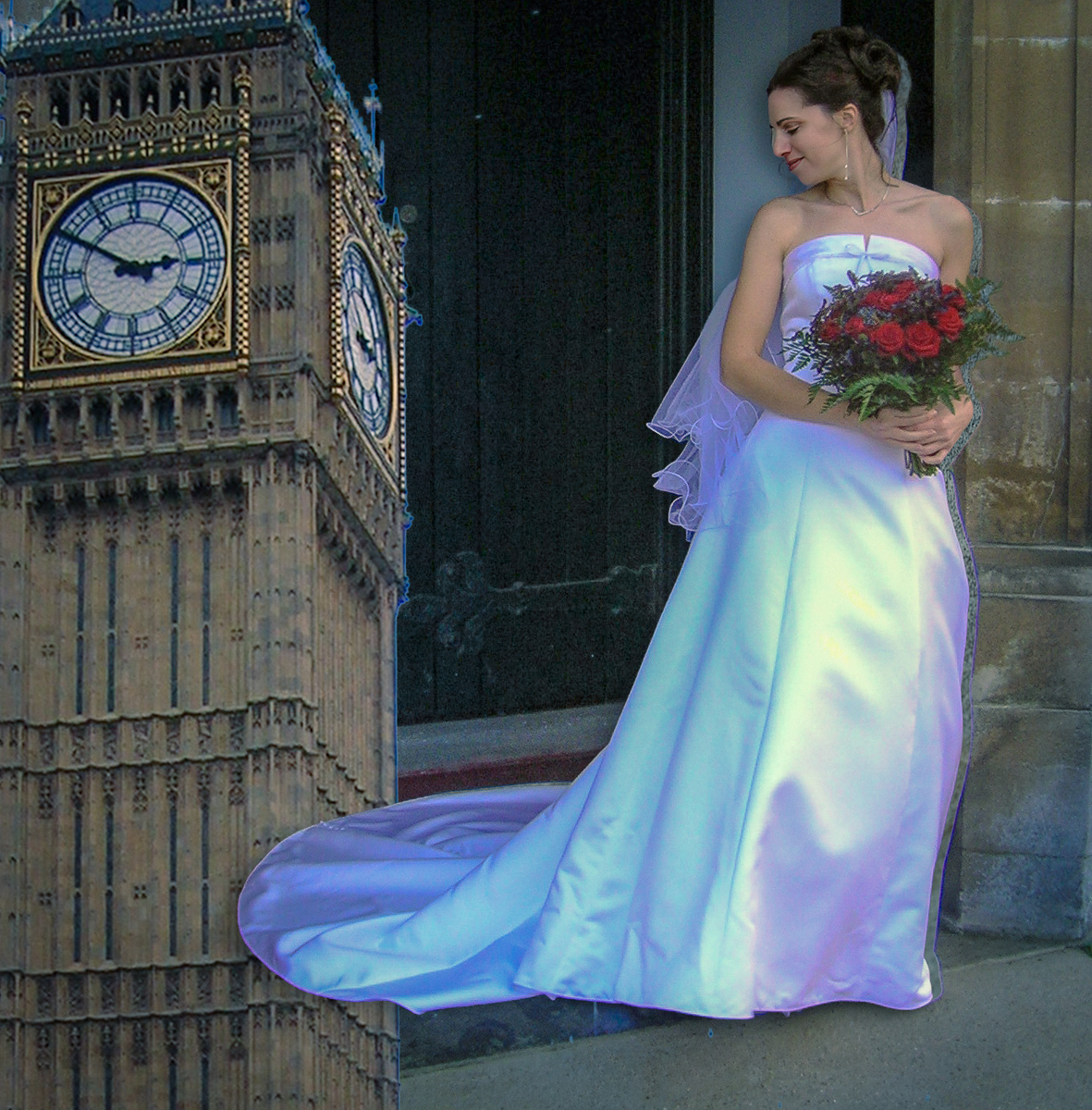
October 2026 - Rebecca's Wedding
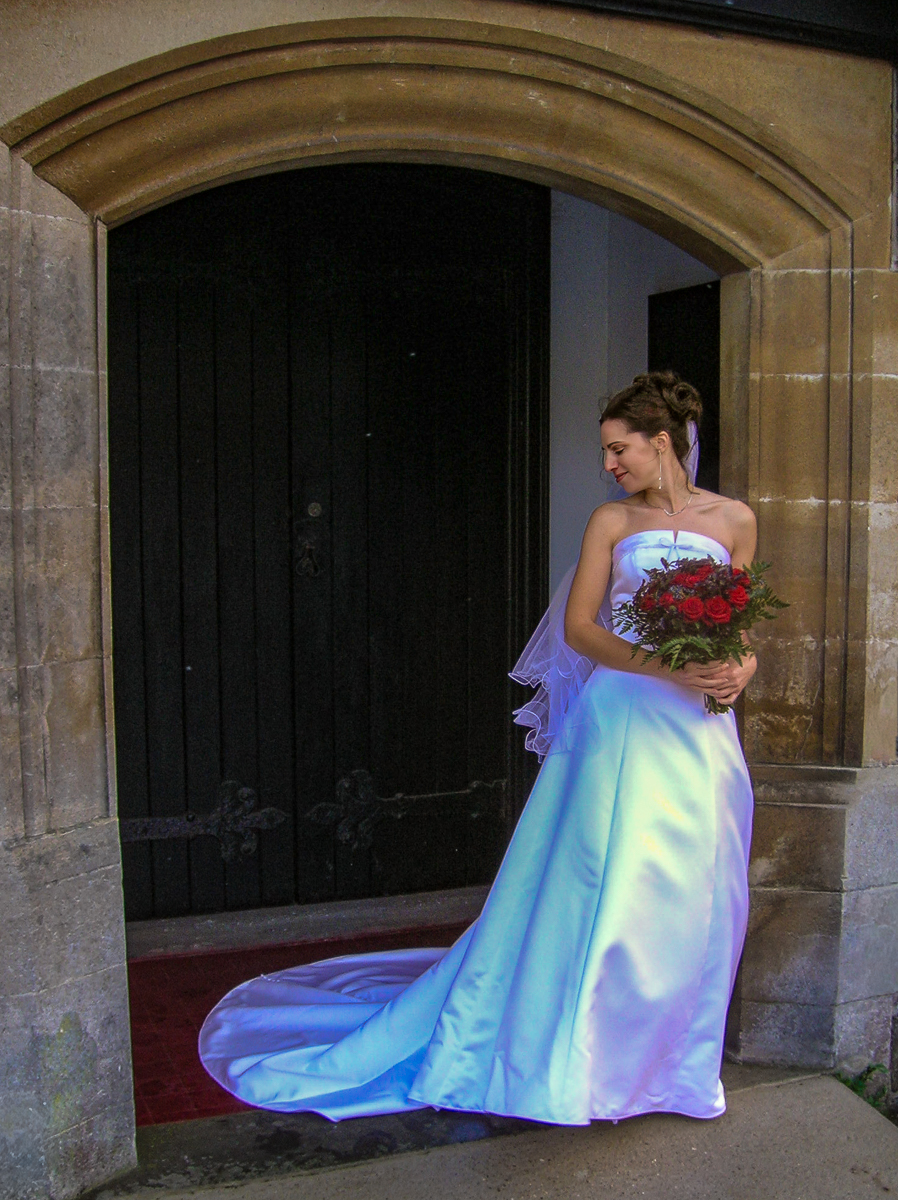
Original
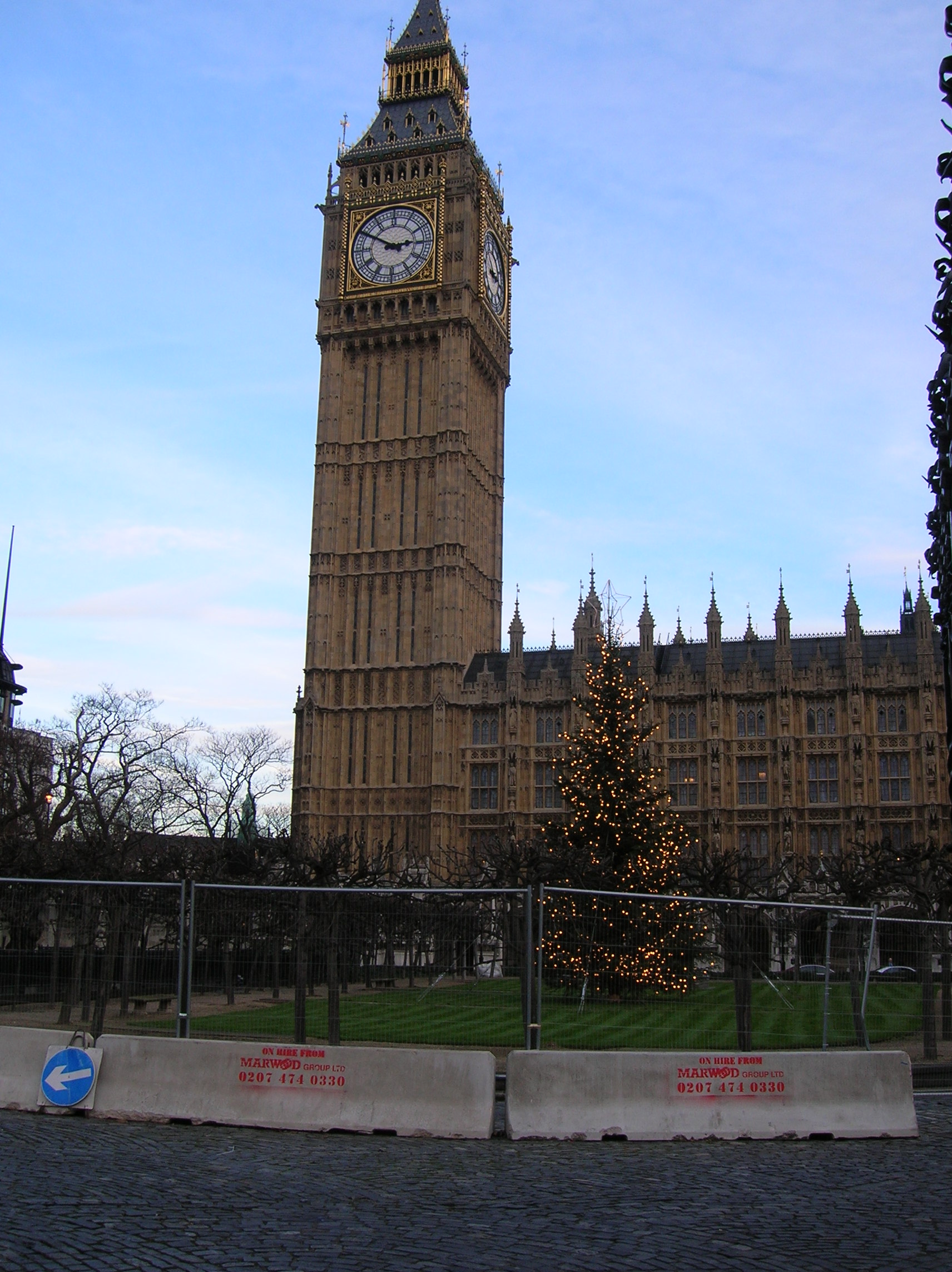
Original 2
About the Image(s)
I took the wedding photos in Lynton,England when our daughter was married. Big Ben, of course is taken in London on a later visit. She was married in Devon County after meeting her husband while volunteering at Lee Abbey in Devon. They hold dual citizenships. We had Nikon Coolpix P600's at that time, but it was a good travel camera for us.
I processed the original jpegs in LRc and then took them into PS for compositing. I finally used layers, smart objects and finally ACR as a filter to try to make them blend better. Her dress was actually all white, but I took some liberties. I will count on your suggestions to help me again.
10 comments posted
Your daughter made a lovely bride and I suspect you were very proud!!
The main subjects are lovely and sharp. I think the colour of her dress works well though there is a bit of ghosting down the right hand side? The side of her nose has something on the side of it?
I think a shadow under the dress will help to ground your daughter.
These are just my opinions!!
Posted: 10/01/2026 15:06:11
The main subjects are lovely and sharp. I think the colour of her dress works well though there is a bit of ghosting down the right hand side? The side of her nose has something on the side of it?
I think a shadow under the dress will help to ground your daughter.
These are just my opinions!!
Posted: 10/01/2026 15:06:11
Thank you, Angela. Your observations are right, and I'm sure they'll be mentioned more than once. : )
I made a few more mistakes this month. I probably made the shadow too small after making it too large last month. I also moved her, which caused the ghosting around her nose and right side, but I forgot to delete the stamped layer at the time, leaving a space where she had been.
I understand what I should do-I'm just not proficient enough yet to bring all the pieces together. Big Ben needs some work, too. I'm still struggling to remember the what, when, why, and how of all these techniques.
I guess it really is a progressive process. I'm learning, one mistake at a time! Posted: 10/01/2026 16:43:17
I made a few more mistakes this month. I probably made the shadow too small after making it too large last month. I also moved her, which caused the ghosting around her nose and right side, but I forgot to delete the stamped layer at the time, leaving a space where she had been.
I understand what I should do-I'm just not proficient enough yet to bring all the pieces together. Big Ben needs some work, too. I'm still struggling to remember the what, when, why, and how of all these techniques.
I guess it really is a progressive process. I'm learning, one mistake at a time! Posted: 10/01/2026 16:43:17
Bob, we are all learning and I struggle to make cohesive composites. Being a member of this group should help us all especially with the expertise of Jan around to guide us!! Posted: 10/01/2026 16:58:46
A good effort. I think it would have more interest if you kept the arch above your daughter, and reposition her with no space below the dress. The space should frame her face. The shadows are well placed, but a bit strong. Posted: 10/03/2026 01:26:22
Thank you, Steve. The better version I'm working on now includes the arch, which helps frame the figure and makes the overall composition feel more complete. I hadn't tried eliminating the space below her dress, but that might solve some of my technical problems. I've also added a radial gradient to her face in the newer version. Thanks again for your help. Posted: 10/03/2026 16:25:14
There's a lovely concept here, and the combination of the bride and Big Ben gives the image a strong sense of place and occasion. I think with a little more refinement to the composite, it could become much more convincing.
One area that caught my eye was the edge detail around Big Ben, where there's some visible fringing that could perhaps be cleaned up with a little more masking work. I also wonder if revisiting the scale and perspective between the bride and the building might help the elements feel more naturally connected.
Perhaps try the 'harmonise' tool in Photoshop so that the images take on the same lighting and colour grading might help bring everything together. The underlying idea is certainly interesting and there is definately a story to tell here. Posted: 10/03/2026 02:43:40
One area that caught my eye was the edge detail around Big Ben, where there's some visible fringing that could perhaps be cleaned up with a little more masking work. I also wonder if revisiting the scale and perspective between the bride and the building might help the elements feel more naturally connected.
Perhaps try the 'harmonise' tool in Photoshop so that the images take on the same lighting and colour grading might help bring everything together. The underlying idea is certainly interesting and there is definately a story to tell here. Posted: 10/03/2026 02:43:40
Thank you, Leonie. Your assessments are spot on with what I'm thinking, too. I'm still trying to find the right balance between all the elements. My technical skills with smart layers are still a work in progress, so I keep stumbling my way through these composites! Practice, practice, practice.
I really enjoyed Jan's article in this month's PSA Journal. I thought she did such a wonderful job with it-it was thoughtful, engaging, and really resonated with me. It's always a pleasure to view Jan's work, and I especially appreciated this column. Posted: 10/03/2026 16:37:59
I really enjoyed Jan's article in this month's PSA Journal. I thought she did such a wonderful job with it-it was thoughtful, engaging, and really resonated with me. It's always a pleasure to view Jan's work, and I especially appreciated this column. Posted: 10/03/2026 16:37:59
Very nice idea. I was very distracted by the edge down the right side of your daughter's image.
She was a beautiful bride! Posted: 10/04/2026 23:54:36
She was a beautiful bride! Posted: 10/04/2026 23:54:36
Thank you, Sylvia. My MOVE was a failure. I'm working on it. My ideas exceed my skills. Posted: 10/05/2026 14:05:56
This is a lovely way to commemorate a beautiful occasion and setting. I agree with Steve that the arch makes a nice frame around Rebecca; I think leaving the step there would also help the train of her dress look more natural than being in front of Big Ben. Perhaps try removing the big door behind her and add Big Ben there? Or maybe reduce the opacity of it, if you want to keep it in the foreground. The ghosting and fringing on your edges could be helped with the Select and Mask tool once you have something selected. By feathering the edges, you can get rid of unwanted artifacts. Personally, I'm not a big fan of Smart Objects; I think they make things more complicated than they need to be. You might want to try working with your individual layers as just simple selections rather than smart objects to see if that helps. Posted: 10/09/2026 23:04:23