Richard Stauber

August 2026 - Rainey Day Dog Walker
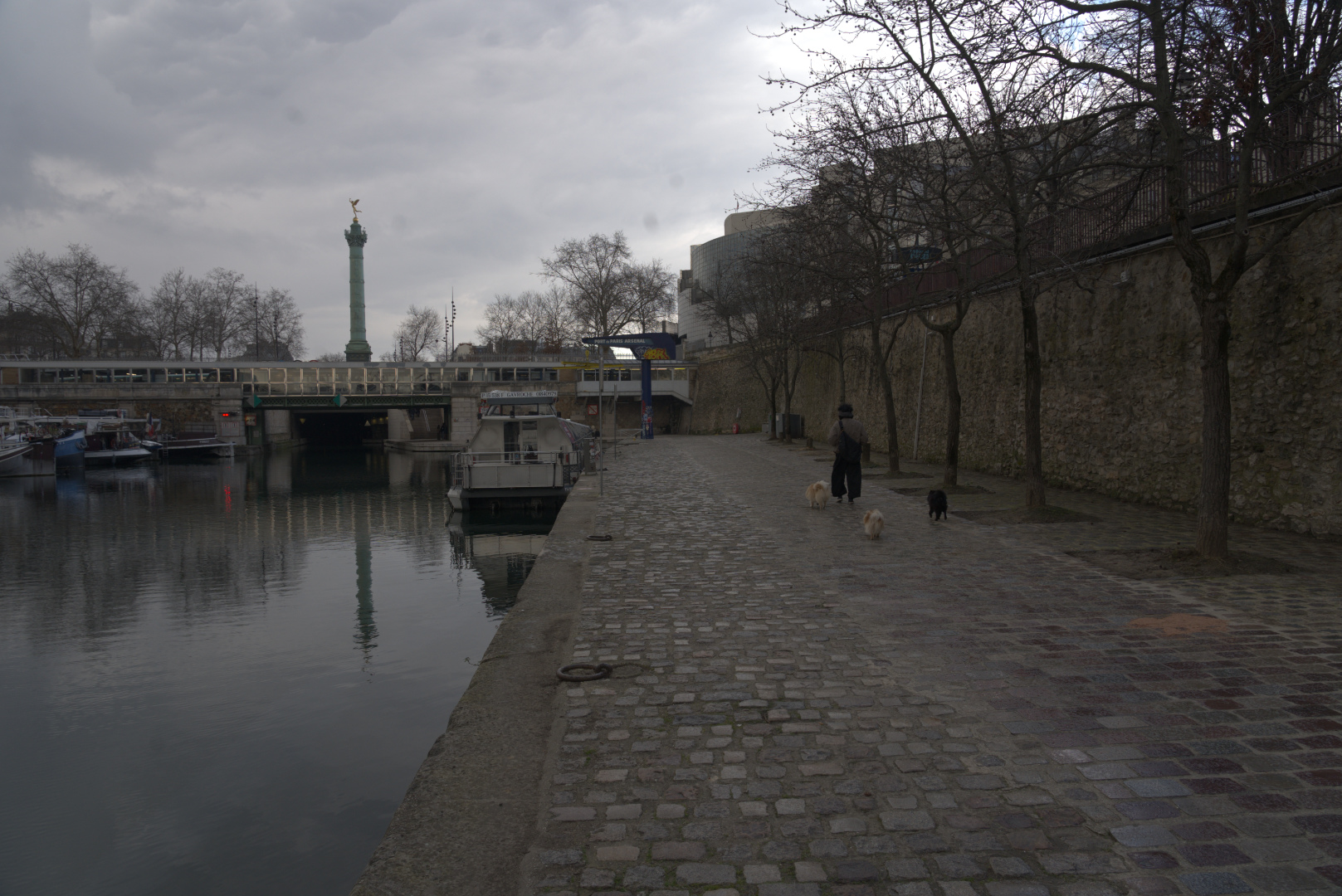
Original
About the Image(s)
Image taken February 2025 by the Canal St Martin near Place de la Bastille in Paris. Sony A7 III camera 24 mm, f/8 ISO 640 at 1/160s, hand held. A nice drizzley morning to capture some of the scenery in the area. Processing using Affinity 2 and NIC for the conversion to mono.
9 comments posted
Hi Richard ( Bresson)
Yes a another high quality shot nice reflection and the person with dogs with one foot of the ground
This is excellent work also it's a well-balanced photo with great tones
Posted: 08/04/2026 20:13:32
Yes a another high quality shot nice reflection and the person with dogs with one foot of the ground
This is excellent work also it's a well-balanced photo with great tones
Posted: 08/04/2026 20:13:32
Thank you Norman. Posted: 08/10/2026 20:18:57
Richard - I always love your Paris shots and this one is beautiful! Thanks for sharing your original photo so we can compare with your final result. I really like the B&W edit - it's much more powerful than the color version.
Great composition and decisions about cropping the photo. Did you use some masking to create more light on the sidewalk? Posted: 08/04/2026 20:29:18
Great composition and decisions about cropping the photo. Did you use some masking to create more light on the sidewalk? Posted: 08/04/2026 20:29:18
Well I have plenty more of those Paris shot to share, thanks!
Yes, I did want to bring up the luminosity of the person and walk. The way I usually do this type of adjustment (luminosity/contrast or whatever layer adjustment) is adjust the whole image and then inverse the adjustment to take everything back to the original (it paints black over the entire layer). A soft brush is then used to paint white on the mask to bring out the adjustments in just the places I want and you can also adjust the intensity by changing the opacity of the brush (as you're using it). This is a non-destructive edit technique. Posted: 08/10/2026 20:16:52
Yes, I did want to bring up the luminosity of the person and walk. The way I usually do this type of adjustment (luminosity/contrast or whatever layer adjustment) is adjust the whole image and then inverse the adjustment to take everything back to the original (it paints black over the entire layer). A soft brush is then used to paint white on the mask to bring out the adjustments in just the places I want and you can also adjust the intensity by changing the opacity of the brush (as you're using it). This is a non-destructive edit technique. Posted: 08/10/2026 20:16:52
Hi Richard - thanks for sharing your editing process. I haven't used Affinity as I'm still hanging on to Lightroom. I'm assuming I'd have to use Photoshop to have a similar layer option that you used to get these effects. Posted: 08/10/2026 21:28:05
(Group 32)
Your finished image is striking. How did you get such strong contrasts out of a rainy day original? Posted: 08/09/2026 04:29:31
Hello Stephen! Thanks for dropping by to look at our photos. Some of the contrast improvement was done in the 'develop persona' in Affinity and using overlays. Other than that I used clarity, contrast, and levels. The results was just a little too contasty so I added a 1 px gaussian blur. A slight vignette was also added. Posted: 08/10/2026 20:01:15
excellent work. and thanks for the "lessons" on how you did it. Well cropped. Really liked the contrast in the photo. Posted: 08/19/2026 23:26:37
An excellent black-and-white cityscape! The post-processing is excellent! :-) Posted: 08/24/2026 08:55:43