Jack Florence Jr
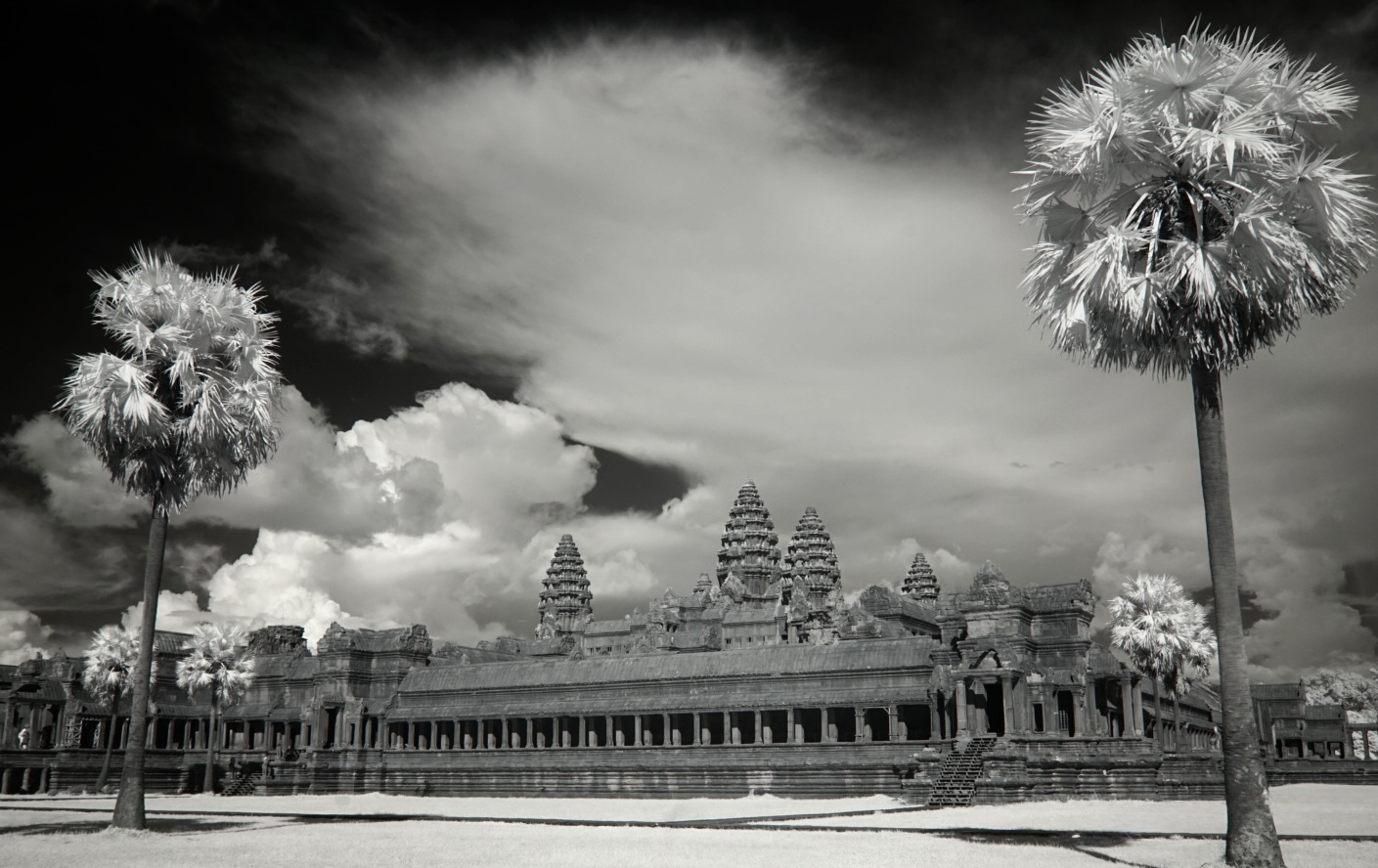
November 2026 - Angkor Wat
About the Image(s)
I’m back in Cambodia and editing on iPad (Photos app) so couldn’t make some of the localized adjustments I would have wanted to, like perhaps brightening the clouds and the palm trees. I look forward to your suggestions.
9 comments posted
Jack,
Your work (my assumption) takes you to such exotic locales. Your iPad rendering is quite good given its limitations.
This is one massive structure that is framed by the two palms. Is it possible to get some architectural images of Angkor Wat of points of interest?
Regards
Emil Posted: 11/03/2026 15:25:52
Your work (my assumption) takes you to such exotic locales. Your iPad rendering is quite good given its limitations.
This is one massive structure that is framed by the two palms. Is it possible to get some architectural images of Angkor Wat of points of interest?
Regards
Emil Posted: 11/03/2026 15:25:52
Thanks Emil, it's actually my personal life that takes me to Cambodia, having married a Cambodian. Yes there are many opportunities inside the structure as well, but those are more difficult to present in infrared. Posted: 11/18/2026 23:23:09
Interesting scene and picture. Your post work on the iPad is fine. I would consider extending the canvas at the bottom to create some space under the tree on the right, but beautiful as presented. Posted: 11/03/2026 16:42:50
Jack, for my eye, the thin fuzzy cloud and the two palms framing the temple, render a fetching, interesting image. Posted: 11/06/2026 16:18:23
Angkor Wat is on my list and this image makes me want it more. I like the framing the 2 palm trees provide but as Arik suggested, the right palm is a little crowded. When you have access to the full Photoshop version, consider adding canvas to right and below. Posted: 11/06/2026 21:08:56
Thanks, I agree, and will do. Posted: 11/18/2026 23:23:45
Hi Jack, This looks like such an eminence build that s almost impossible to capture in its entirety. That being said I think that by using the palm trees as anchors, you have managed to show it off well. Posted: 11/15/2026 22:27:58
Nicely composed and, given your technical limitations, well-processed. When you get a bit more time, I'd suggest brightening up the structure a bit and increasing contrast overall. The clouds and palms are fine. Posted: 11/15/2026 23:16:02
I don't want to repeat what others have said so I will focus my comments on the ipad and post editing. I am planning an Alaskan cruise for next spring and I don't want to carry the extra weight of my laptop so I have been experimenting with using my ipad for both image storage and editing.
For storing images, I'm using a usb-c hub which plugs into the ipad and then I can plug a usb SSD drive and my camera card reader into the hub. Using the Files app, I can transfer files directly from the camera card to the SSD drive without moving them to the ipad first. It is very fast to backup the images from the card to the drive.
I've looked at editing on the ipad using Lightroom and it works very well. I do use a pen but it is not a requirement. You do have to some pre-work to get IR profiles into Lightroom to help with white balance and channel swapping but you only have to do it once.
I've also installed an app called 'Jump Desktop' which is a remote desktop sharing app so I can remotely control my desktop computer at home from my ipad over the Internet. So, I can be in a hotel room and transfer some images to my Mac Studio computer at home and then edit them in Lightroom Classic. I can also bring up Photoshop or other apps like DXO from my ipad. It is just like sitting at your computer at home. I've done it a few times using a hotel's wifi and I haven't noticed any significant lag because of a slow wifi connection.
If you would like more information let me know. I can also make a little video showing you how it works if you are interested. Posted: 11/19/2026 02:48:02
For storing images, I'm using a usb-c hub which plugs into the ipad and then I can plug a usb SSD drive and my camera card reader into the hub. Using the Files app, I can transfer files directly from the camera card to the SSD drive without moving them to the ipad first. It is very fast to backup the images from the card to the drive.
I've looked at editing on the ipad using Lightroom and it works very well. I do use a pen but it is not a requirement. You do have to some pre-work to get IR profiles into Lightroom to help with white balance and channel swapping but you only have to do it once.
I've also installed an app called 'Jump Desktop' which is a remote desktop sharing app so I can remotely control my desktop computer at home from my ipad over the Internet. So, I can be in a hotel room and transfer some images to my Mac Studio computer at home and then edit them in Lightroom Classic. I can also bring up Photoshop or other apps like DXO from my ipad. It is just like sitting at your computer at home. I've done it a few times using a hotel's wifi and I haven't noticed any significant lag because of a slow wifi connection.
If you would like more information let me know. I can also make a little video showing you how it works if you are interested. Posted: 11/19/2026 02:48:02