Denise McKay

August 2026 - Zinnia
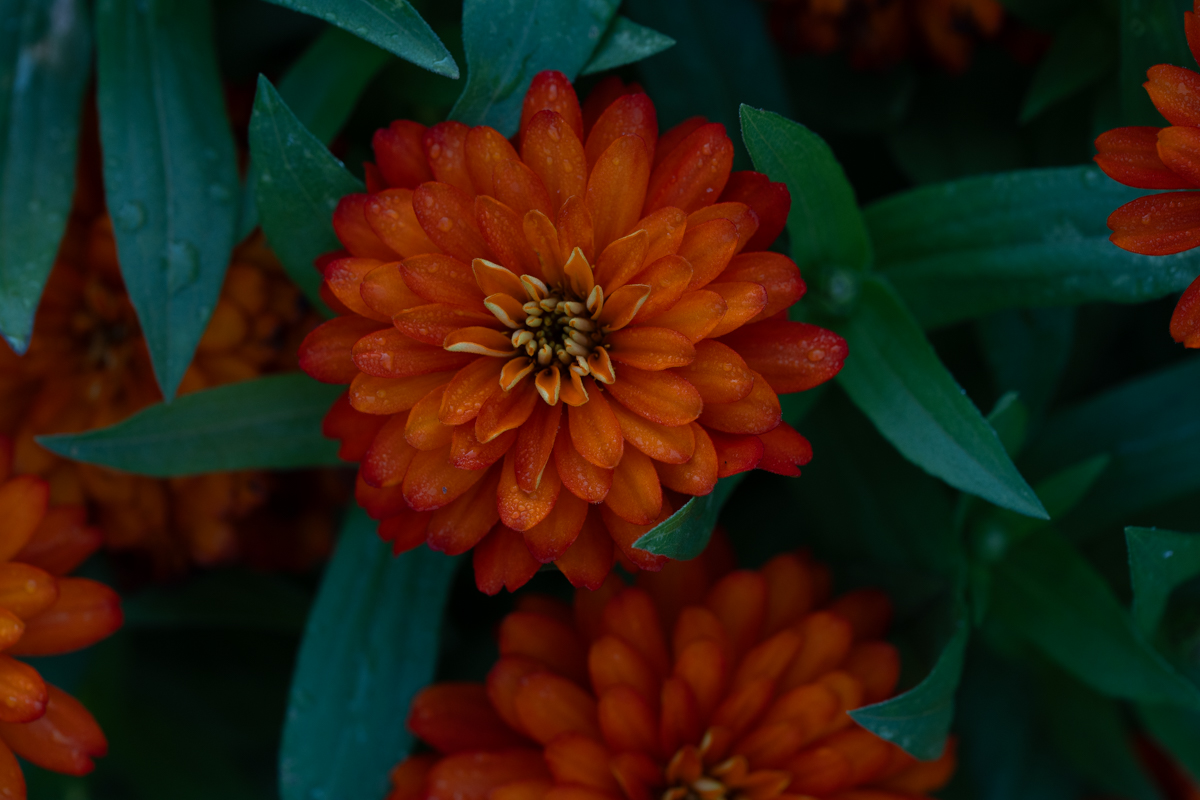
Original
About the Image(s)
I shot this flower in the early morning after an overnight rain. Sony A7 IV, 70-200mm macro lens at 200mm, ISO 500, f5.6, 1/400 sec. I cropped, lightened the overall exposure, opened some shadows a bit, and used selective masks to darken some areas along the edges to bring more attention to the flower. I didn't want to brighten the image too much because I liked the rich color of the flower that was brought out by the natural, overcast sky lighting.
Looking forward to everyone's feedback.
11 comments posted
I like this shot of this zinnia flower in its natural environment. The flower is in perfect focus, and your cropping off the right side placed the flower slightly off center giving the flower some space to look into. If I were to make any suggestions, it would be to add a vignette to darken some of the brighter leaves on top and orange flower on the left. Posted: 08/02/2026 18:52:06
Thanks for your feedback David. I originally thought about a vignette and I'm not sure why I didn't do it, LOL.
Posted: 08/04/2026 13:06:48
Posted: 08/04/2026 13:06:48
Nice shot of a Zinnia with nice detail in the flower. I agree with David about the vignette. I would suggest using a polarizer to eliminate the blue cast on the leaves. I don't understand why Polarizers are not used? Posted: 08/13/2026 22:46:08
I actually have a hard time seeing the blue color cast which you've caught on other photos I've taken. Maybe it's due to my cataracts, which will be surgically corrected soon!
Aren't color casts actually an issue with white balance? I'm guessing my auto white balance isn't doing a great job! I'm not sure how using a polarizer would correct a color cast if it's due to a white balance issue. Maybe you could clarify that for me.
I have a polarizer that, in the past, I've only used to eliminate reflections. I will dig it out and experiment with it on my next outing.
I've attached another example using Lightroom Classic to correct the color cast and add a vignette. Posted: 08/14/2026 14:13:47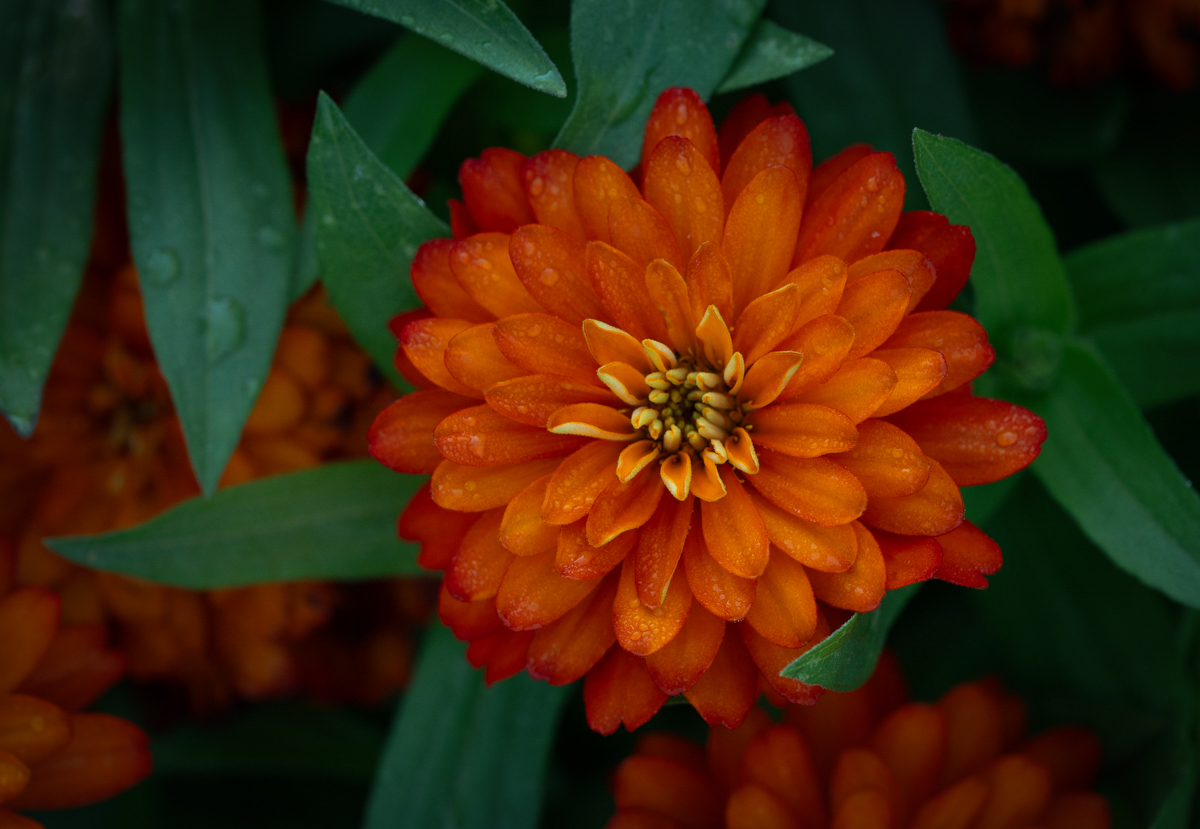
Aren't color casts actually an issue with white balance? I'm guessing my auto white balance isn't doing a great job! I'm not sure how using a polarizer would correct a color cast if it's due to a white balance issue. Maybe you could clarify that for me.
I have a polarizer that, in the past, I've only used to eliminate reflections. I will dig it out and experiment with it on my next outing.
I've attached another example using Lightroom Classic to correct the color cast and add a vignette. Posted: 08/14/2026 14:13:47
So good to see your reply to the comments I made about your image. Sorry I should have used the word glare and not color cast. They are totally two different things. Your zinnia has great color balance could not be better. A polarizer will not correct color casts. A polarizer will remove reflections or glare off surfaces. Plant leaves and stems reflect light off their surface. In this case the leaves in the upper left near the edge, some on the bottom leaf and some in the leaf on the right side near the edge. These are the areas I am talking about. A polarizer would correct these. Your example is better due to the vignette which masked the glare on the leaves to some degree.
If you use a polarizer, it is best to use a tripod to prevent the camera from moving after rotating the polarizer to get the desired effect. Any movement will chain the results. Try this and see what happens. It's amazing. It works every time.
Please read my two comments I made about Marks' tulip image for May. He showed us an image with and without a polarizer. This showed the difference. If you compare the two images, it's not hard to tell which one is best.
Posted: 08/15/2026 01:02:02
If you use a polarizer, it is best to use a tripod to prevent the camera from moving after rotating the polarizer to get the desired effect. Any movement will chain the results. Try this and see what happens. It's amazing. It works every time.
Please read my two comments I made about Marks' tulip image for May. He showed us an image with and without a polarizer. This showed the difference. If you compare the two images, it's not hard to tell which one is best.
Posted: 08/15/2026 01:02:02
Thanks for the clarification Bruce. As my brain gets older I'm not surprised if I mis-remember something, LOL. Posted: 08/15/2026 13:57:05
I like the revised image posted in the comments. My only suggestion would be to lighten the outer edges of the flower a bit and perhaps darken the background a small amount. Nice photo. Posted: 08/21/2026 12:41:31
Thanks for your feedback Mark! The flower was a bit set back into the foliage, therefore the darker outer edges. To me, that adds a little more depth so I prefer the light to dark gradations of the petals. Posted: 08/21/2026 17:33:48
Agree. It does add depth. Posted: 08/21/2026 18:22:19
Hi Denise,
You have received some great feedback, and I really like the revised image you posted. I think the vignette adds depth to the image, enhancing the flower. I also really like how the green leaves frame the orange zinnia. So lovely image! Posted: 08/21/2026 18:47:03
You have received some great feedback, and I really like the revised image you posted. I think the vignette adds depth to the image, enhancing the flower. I also really like how the green leaves frame the orange zinnia. So lovely image! Posted: 08/21/2026 18:47:03
Thanks Maria! Posted: 08/24/2026 13:29:26