Rita Johnston

August 2026 - "Rainbow at Shiprock, New Mexico.”
About the Image(s)
I took this photo with my iPhone 16 pro max this July in Shiprock NM after a brief storm created this rainbow. In processing it, I increased the size, adjusted light and colors with ACR, denoised it, and added more saturation. It was a long landscape so I made it 16 x 9 to include as much as I could. All comments appreciated.
Rita
7 comments posted
This is a shot where you really have to be there and witness this in person. It must of been breath taking. I think you overly saturated a bit to much, and the rainbow being the main subject, my eye goes there the first thing. personal I don't think a lot of the scene to the left really need to be there, although that part is also interesting. You are the creator, and this is how you want to remember it and that makes it the perfect . Posted: 08/07/2026 17:45:39
Rita,
This is a striking landscape image with the clouds, rainbow, and baseline terrain. I agree with Karen that it appears over saturated - maybe some selective saturation on the rainbow but less in the clouds and especially the lower background terrain. Posted: 08/08/2026 14:20:04
This is a striking landscape image with the clouds, rainbow, and baseline terrain. I agree with Karen that it appears over saturated - maybe some selective saturation on the rainbow but less in the clouds and especially the lower background terrain. Posted: 08/08/2026 14:20:04
I reworked it and trying to post what I got. Posted: 08/13/2026 18:10:45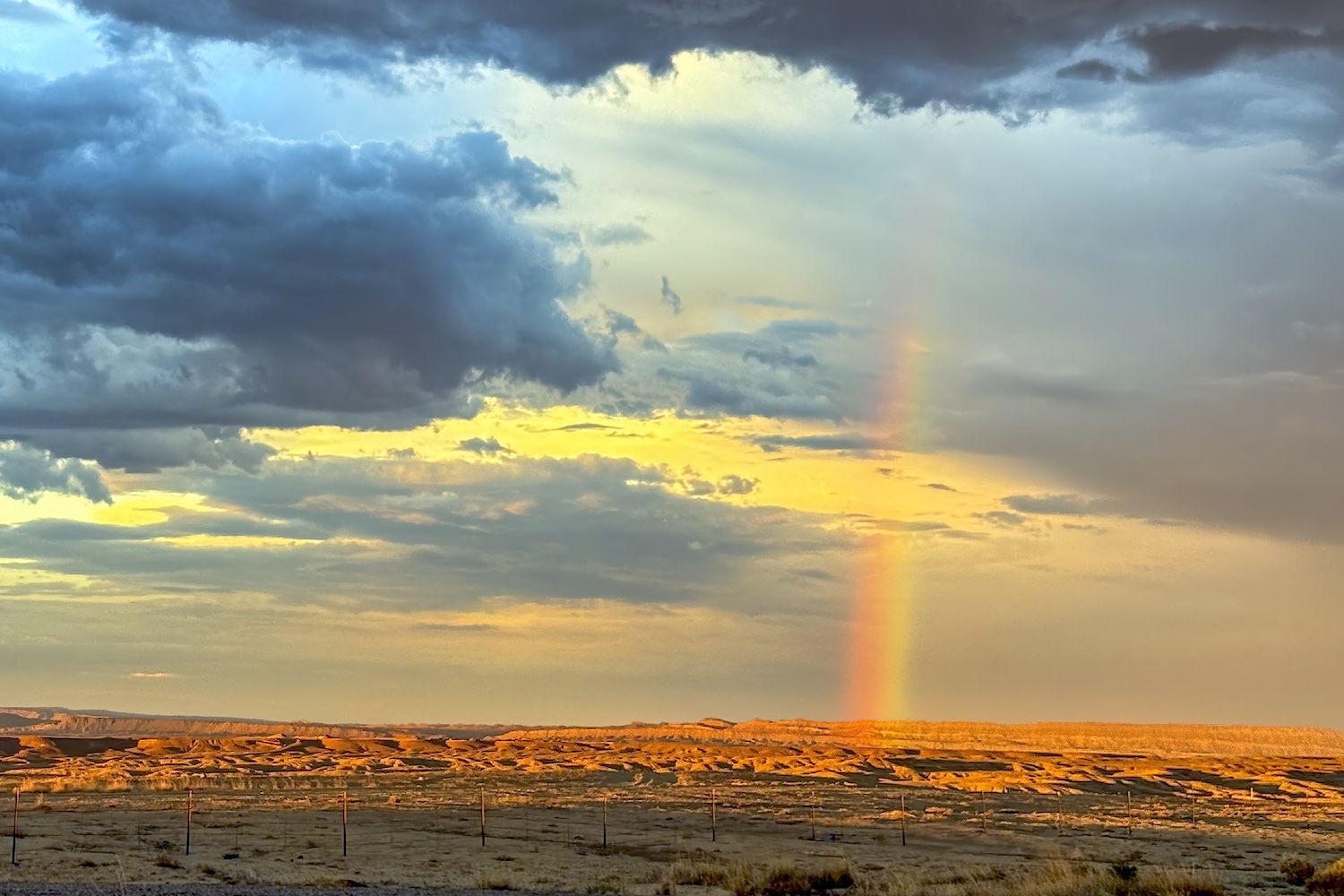
Great capture of a beautiful opportunity. I agree that it is a bit over saturated. The highly saturated foreground detracts from the rainbow which should be the focus. With a little more editing, this could be a winning image. Posted: 08/08/2026 14:50:14
I agree that the image is over saturated and there is too much unneeded landscape on the left. Your subject is this fabulous rainbow. This is probably not what you are looking for but this is what I would do with the image.
When blown up the foreground is overly sharp with too many bright white lines showing. Don't ask me why this worked, because I've never used it before. First, select Sky then use Inverse to choose the foreground. Go to Filter, the Blur Gallery, Field Blur and set it at 1 px with Effects - Light Bokeh at 40%. This gives a gentler appearance in the foreground, Hit Deselect then go to Hue and Saturation panel and choose the color yellow - then Saturation -24, Lightness +12. Select Sky again and Inverse. Go back to Hue and change the color to Red go to -41 to desaturate the ground. I would then flip the image horizontally so the curve of the rainbow is facing the left side and severely crop since the subject of the image is the rainbow.
Playing with someone else's image helps me learn, too, even if it's not what you would do. Thank you for the opportunity.
Posted: 08/09/2026 21:32:25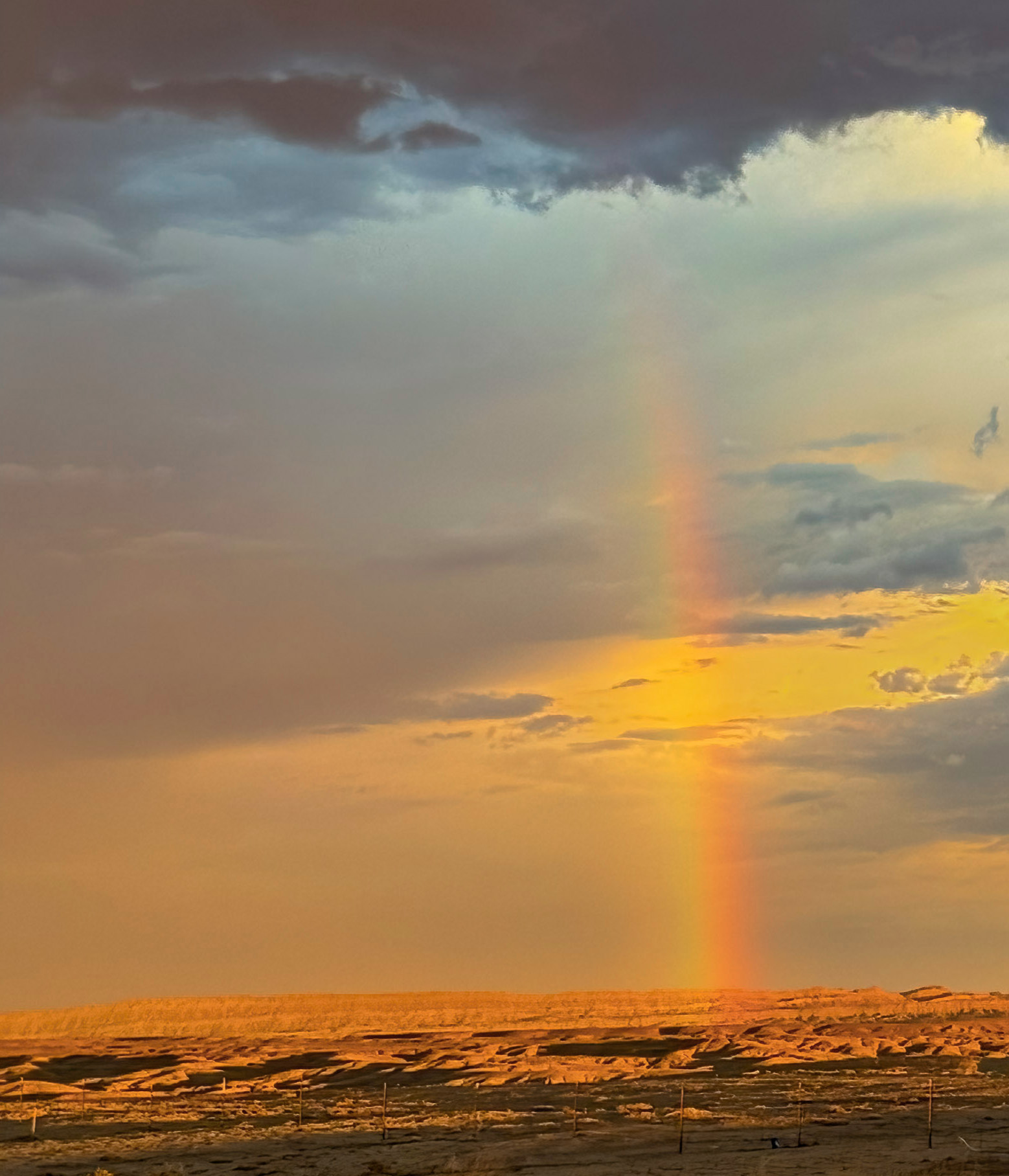
When blown up the foreground is overly sharp with too many bright white lines showing. Don't ask me why this worked, because I've never used it before. First, select Sky then use Inverse to choose the foreground. Go to Filter, the Blur Gallery, Field Blur and set it at 1 px with Effects - Light Bokeh at 40%. This gives a gentler appearance in the foreground, Hit Deselect then go to Hue and Saturation panel and choose the color yellow - then Saturation -24, Lightness +12. Select Sky again and Inverse. Go back to Hue and change the color to Red go to -41 to desaturate the ground. I would then flip the image horizontally so the curve of the rainbow is facing the left side and severely crop since the subject of the image is the rainbow.
Playing with someone else's image helps me learn, too, even if it's not what you would do. Thank you for the opportunity.
Posted: 08/09/2026 21:32:25
I don't know why the ground still looks so red. It doesn't in my redo. Posted: 08/09/2026 21:33:18
Thank you for all that and working on the photo. It looked more saturated on this site, than it did on my monitor. But I will do all your suggestions and see what I get! Posted: 08/10/2026 23:18:04