Barbara Dunn
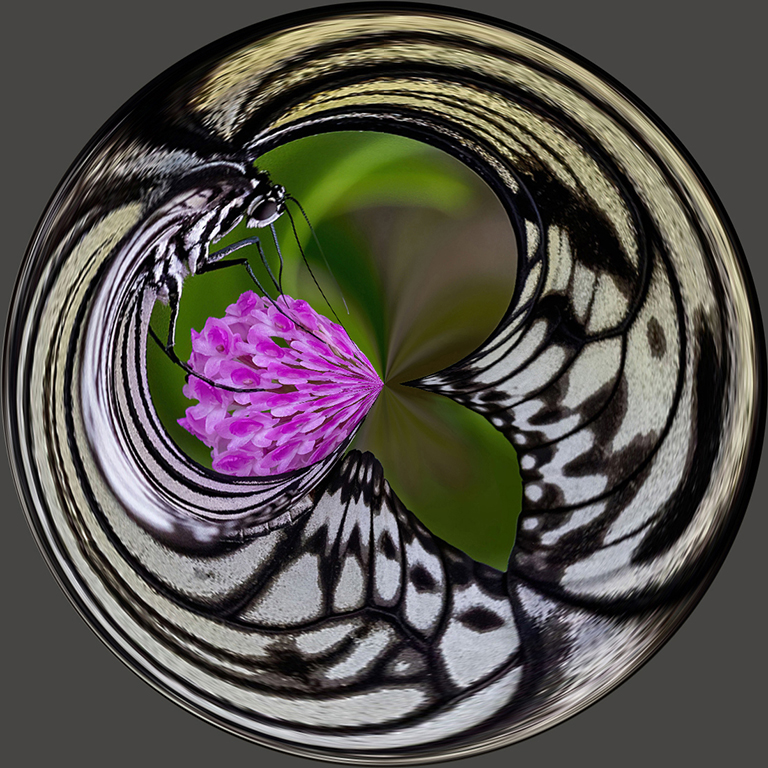
April 2026 - Swallowtail
About the Image(s)
Steps to Achieve Image:
1. Cropped original to a square.
2. Save a copy.
3. In Photoshop under "Filter-Distort", seleceted Polar Coordinates.
4. Choose Rectangular to Polar
5. Add a mask and paint background
6. Resize for PSA website.
4 comments posted
Looks like a fancy bracket with colours make it come alive and wish to understand live and fashions. Posted: 04/10/2026 09:50:58
Love it! I don't use PS but if one can do these types of manipulation I may have to activate a license and try it. Posted: 04/13/2026 19:48:51
Thanks, Gene, it's a fun effect that doesn't work for everything, but produces some cool results. Posted: 04/15/2026 13:45:53
This works well and has the feel of the transformations that make streets/landscapes look like global worlds. Posted: 04/15/2026 10:53:16